
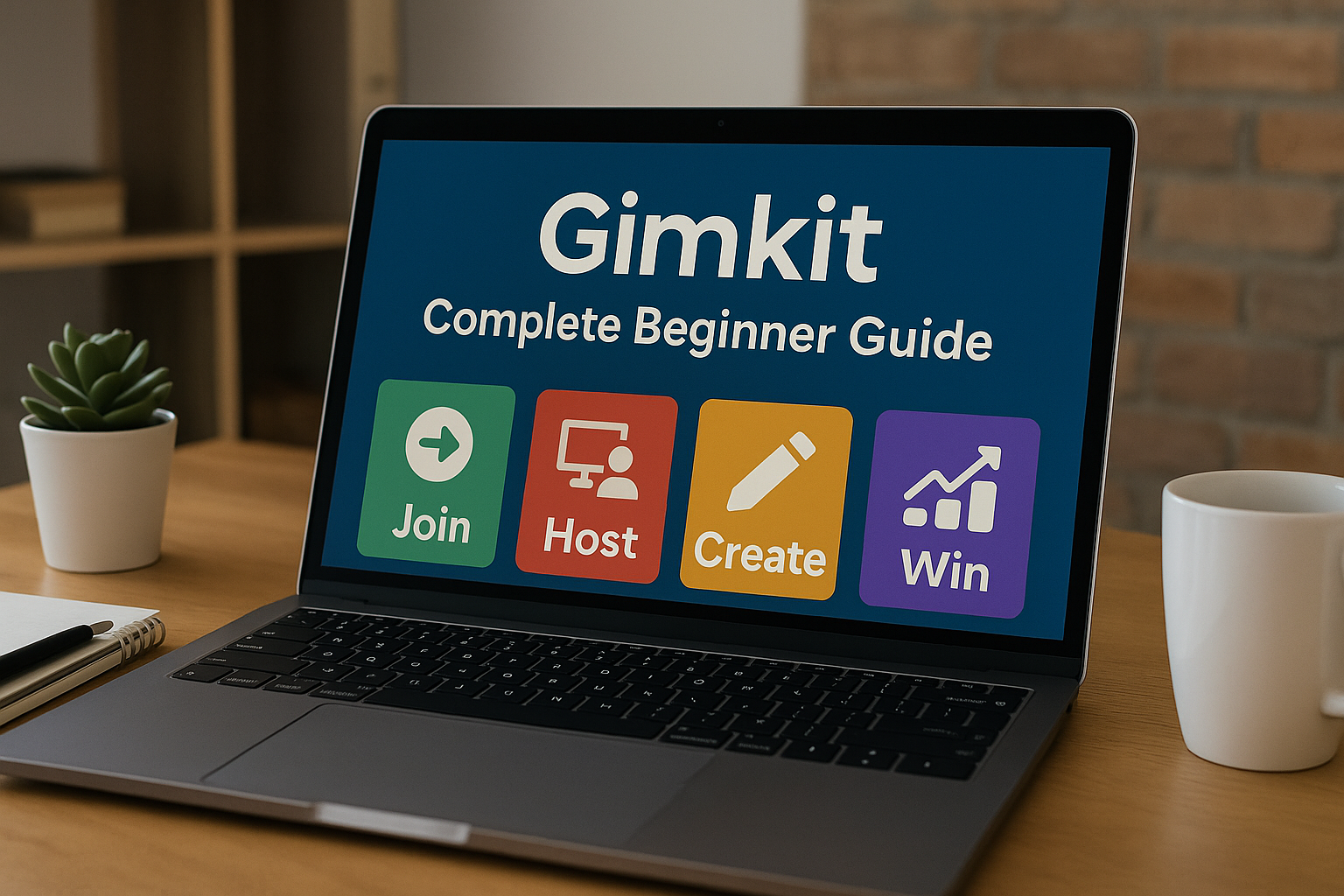
Gimkit
Have you ever wished learning in the classroom could be as exciting as playing a video game? Imagine a tool that turns review sessions into thrilling challenges where you earn virtual cash to buy upgrades and power-ups. That’s exactly what Gimkit does! It’s a live learning game show created by students, for students. This unique platform combines quizzes with game-show mechanics, making education feel less like a chore and more like an adventure.
Whether you are a student ready to play or a teacher looking to energize your classroom, this guide will walk you through everything you need to know. We’ll cover how to join a game, how to host your own, and all the cool features that make Gimkit a favorite for millions. It’s more than just a quiz; it’s a whole new way to learn and have fun at the same time. Let’s dive in and explore the world of Gimkit together!
Getting Started: How to Join a Gimkit Game
Jumping into a game is super easy and takes just a few seconds. You don’t even need an account to play, which is great for quick classroom activities. Your teacher will start a game and share a unique Gimkit join code. This code is your ticket into the game. Once you have the code, the process is simple. You just need to open your web browser on a computer, tablet, or phone and go to the gimkit/join website. The page is very straightforward. You will see a box asking for the game code.
Carefully type in the code your teacher gave you. After entering the code, you’ll be asked to type in your name. It’s a good idea to use your real name so your teacher can see your progress. Once you’ve entered your name, you’re in! You’ll be taken straight to the game lobby, where you’ll wait for the teacher to start the match. That’s all it takes to join the fun and start learning with Gimkit.
Your First Steps: The Gimkit Login and Sign Up Process
While you can play Gimkit without an account, creating one opens up a world of new possibilities. A personal account lets you save your progress, track your earnings, and even create your own games. To get started, head over to the Gimkit home page and look for the sign-up button. The Gimkit sign up process is designed to be simple for both students and educators. You can sign up using a Google account or an email address. If you’re a student, the platform will ask for your birthday to ensure you are the right age.
If you’re a teacher, you’ll have a few more options to set up your educator account. Once you’ve filled in the necessary details, your account is ready. From then on, you can use the Gimkit login page to access your personal dashboard. This dashboard is where all the magic happens. It’s your central hub for joining games, creating new ones, and managing your existing kits.
For Educators: How to Host a Gimkit Game
Ready to bring some energy to your classroom? Learning how to host Gimkit games is your first step. As a teacher, your journey begins at the Gimkit dashboard. This is your command center. From here, you can either create a brand new quiz (called a “Kit”) or choose from millions of pre-made public Gimkits in the gallery.
To create a Gimkit game, you’ll add questions and answers, either by typing them in, importing from a spreadsheet, or using the innovative KitCollab feature. KitCollab allows your students to contribute questions, which is a fantastic way to get them involved in creating their own review materials. Once your Kit is ready, it’s time to play.
When you decide to host a Gimkit game, you’ll see a “Play Live” button. Clicking this will take you to the game options screen. Here, you can choose from various game modes, like the classic mode, “Trust No One,” or “The Floor is Lava.” You can also set game goals, such as a time limit, a race to a certain cash amount, or a team goal. After you’ve customized the settings, the system will generate a unique Gimkit code.
Share this code with your students. They will use it to join the game from their devices. On your screen, you’ll see the names of students as they log in. Once everyone is in, you can start the game and watch the engagement unfold in real-time. The Gimkit host dashboard gives you valuable insights, showing you which questions students are struggling with and how they are performing overall.
Understanding the Gimkit Code
The Gimkit code is the key that unlocks every live game. Think of it as a secret password that connects all the players to the same game session. When a teacher decides to host Gimkit, the platform generates a unique, six-digit numerical code. This code is temporary and only works for that specific game session.
This ensures that only the intended players can join the game. Students don’t need to log in or have an account to use the code; they simply go to the gimkit/join page and enter the number. It’s a fast and secure way to get everyone on the same page.
These Gimkits codes are essential for the live experience. Because they are temporary, you can’t reuse an old code for a new game. A new code is generated every single time a host launches a live session. This keeps the games organized and secure. If a student gets disconnected, they can often rejoin the same game using the same code, as long as the game is still active.
Finding Gimkits to join right now depends on having a live code from a host. Without a teacher or friend actively hosting a game and sharing the code, you won’t be able to join a live match. This system makes Gimkit perfect for scheduled classroom activities or group study sessions.
The Heart of the Game: What are Gimkits?
So, what exactly are these “Kits” in Gimkit? A Kit is simply a set of questions and answers. It’s the content that fuels the game. Think of it as a deck of digital flashcards, but way more interactive. Teachers and students can make a Gimkit on any subject imaginable, from math and science to history and foreign languages.
The process to create a Gimkit is incredibly flexible. You can build a Kit from scratch by typing your own questions and multiple-choice answers. You can also import questions from other popular platforms like Quizlet or from a simple spreadsheet, which saves a lot of time.
One of the coolest features is the KitCollab. When you turn on KitCollab, you can share a special link with your students, and they can all add questions to the Kit. This turns test review into a collaborative project. Students take ownership of their learning by contributing to the study materials. Once a Kit is created, it’s saved to your Gimkit dashboard.
From there, you can play it live, assign it as homework, or share it with other teachers. The platform also has a huge library of public Gimkits created by other educators. You can search for a topic, find a Kit you like, and use it in your own class. This massive collection of Gimkits kits means you don’t always have to start from scratch.
Exploring Different Ways to Play Gimkit
Gimkit is famous for its exciting game modes that go far beyond a simple Q&A format. Answering questions correctly earns you virtual money, which you can then use to buy upgrades and power-ups. This adds a layer of strategy that keeps students hooked. In the Classic mode, students compete individually to earn the most money.
They can spend their cash on upgrades that increase the amount of money they earn per question or on power-ups that give them a strategic advantage. This dynamic makes every game unpredictable and exciting.
But the fun doesn’t stop there. Gimkit regularly introduces new and creative game modes. For example, “Trust No One” is a social deduction game similar to Among Us, where students must complete tasks by answering questions while trying to identify the “Impostors” among them. “The Floor is Lava” challenges students to answer questions to build platforms and stay above the rising lava.
There are also team-based modes that encourage collaboration. These different ways to play Gimkit ensure that the experience never gets old. A teacher can choose a game mode that best fits their lesson objectives, whether it’s encouraging individual competition, teamwork, or strategic thinking. The variety of Gimkits to play keeps students on their toes and eagerly awaiting the next game.
The Student Hub: Your Personal Gimkit Dashboard
Your personal Gimkit dashboard is your home base. If you have a Gimkit account, this is the first thing you see after you log in. For students, the dashboard is a place to track your progress and manage your activity. You can see how much total cash you’ve earned across all the games you’ve played, view your stats, and access any assignments your teacher has given you.
It’s also where you can find and review the Kits you’ve played before, which is great for studying. The dashboard provides a sense of accomplishment and lets you see your learning journey over time.
For educators, the Gimkit dashboard is even more powerful. It’s where you organize all of your Kits, create new ones, and view student reports. You can sort your Kits into folders to keep them organized by subject or class period. The dashboard also gives you access to the Kit search, where you can discover thousands of free Gimkits made by other teachers.
When you assign Gimkit as homework, you can track each student’s progress directly from your dashboard. You can see who has completed the assignment, what their score was, and which questions they struggled with. This data is incredibly valuable for understanding where your students need extra help. It’s a comprehensive tool for managing all your Gimkit activities in one place.
Sharing is Caring: How to Share Gimkits
Collaboration is a big part of what makes Gimkit so effective. The platform makes it incredibly easy to share your creations with others. So, can you share Gimkits? Absolutely! Once you create a Gimkit, you have several options for sharing it. If you want to share a Kit with another teacher, you can simply send them a direct link. When they open the link, they’ll have the option to save a copy of the Kit to their own account. This is perfect for department-wide collaboration or sharing resources with colleagues.
You can also make your Kits public. When you publish a Kit, it becomes part of the public Gimkits gallery, searchable by any teacher on the platform. This is a great way to contribute to the Gimkit community and help other educators. If you’re wondering how to share Gimkits with students for them to study independently, you can assign them as homework.
This feature, available with a paid subscription, lets students play a Kit on their own time. They work through the questions at their own pace until they reach a certain cash goal. This transforms homework from a passive task into an engaging challenge. The ability to easily share content makes Gimkit a powerful, collaborative tool for educators everywhere.
The Gimkit Live Experience
The real magic of Gimkit happens during a live game. The Gimkit live experience is what sets it apart from other learning platforms. It’s a fast-paced, energetic, and highly engaging environment. When the game starts, students see questions on their own screens and answer as quickly as they can.
The teacher’s screen displays a leaderboard, showing who is in the lead. This creates a fun, competitive atmosphere that motivates students to try their best. But it’s not just about speed; it’s also about strategy. Between questions, students can visit the in-game shop to spend their earnings.
They can buy upgrades to earn more money per question or purchase power-ups that can affect their own game or the games of their classmates. For example, they might buy a “Multiplier” to double their earnings for a short time, or they could buy an “Icer” to freeze another player’s screen for a few seconds.
This element of strategy means that the person in the lead can change at any moment, keeping everyone engaged until the very end. The sounds, animations, and fast-paced nature of live Gimkits make the classroom buzz with excitement. It’s a learning experience that students genuinely look forward to, turning any review session into a memorable event.
Gimkit Hacks, Tips, and Tricks for Players
Everyone loves a good shortcut, but when it comes to Gimkit hacks, it’s important to understand what that really means. The best “hacks” are actually smart strategies, not cheats. Instead of searching for ways to break the game, focus on mastering its mechanics. One of the best tips is to balance speed and accuracy. Answering quickly is good, but answering correctly is what earns you money.
It’s better to take an extra second to be sure of your answer than to rush and get it wrong. Another key strategy is to invest in upgrades early. Don’t just save your money; spend it! Buying “Money Per Question” and “Streak Bonus” upgrades early on will multiply your earnings exponentially throughout the game.
Another great trick is to know when to use your power-ups. Don’t just fire them off randomly. Save a powerful offensive item, like a “Reducer,” for when you need to slow down the player in first place. Similarly, use defensive power-ups, like a “Shield,” when you notice other players targeting you. It’s also smart to pay attention to the game’s goal.
If it’s a race to a certain amount of money, focus on earnings. If it’s a team game, communicate with your teammates to coordinate your strategies. The most successful Gimkit players are those who think strategically. Forget about looking for cheat codes; the real path to victory is through smart gameplay.
The Future of Learning: Why Gimkit Works
Gimkit has become a phenomenon in classrooms around the world because it taps into the core principles of what makes learning effective and enjoyable. It was famously created by a high school student, Josh Feinsilber, who wanted to build a game he and his friends would actually want to play in class. This student-centric origin is the secret to its success. The platform combines proven educational methods,
like spaced repetition and active recall, with engaging game mechanics that are familiar to today’s students. The element of earning and spending virtual currency adds a powerful motivational layer that drives students to answer more questions and engage more deeply with the material.
The platform is also constantly evolving. The team behind Gimkit is always adding new game modes, features, and improvements based on feedback from teachers and students. This commitment to innovation keeps the experience fresh and exciting. By making learning feel like play, Gimkit helps reduce test anxiety and builds student confidence.
It creates a positive and collaborative classroom environment where students are excited to participate. It’s more than just a tool for review; it’s a way to foster a love for learning. In a world where keeping students engaged is one of the biggest challenges, Gimkit provides a solution that is fun, effective, and built for the modern learner.
Frequently Asked Questions (FAQs)
1. What is the URL for Gimkit join?
The official URL to join a game is gimkit.com/join. When your teacher gives you a game code, you can go directly to that website, enter the code, and join the game. You can also simply type “gimkit/join” into your search bar, and it will usually take you to the right place.
2. How do I find public Gimkits to play?
To find public Kits, you need to have a teacher account and be logged into your Gimkit dashboard. From there, you can use the search feature to look for Kits by topic or keyword. You can then play these Kits with your class. Students cannot search for and play public Kits on their own; they must be hosted by a teacher.
3. Do I need a subscription to use Gimkit?
Gimkit offers a free plan called Gimkit Basic, which allows you to create and host games with all the classic modes. However, there are limitations on how many Kits you can create and which game modes are available. The paid subscription, Gimkit Pro, unlocks unlimited Kit creation, access to all game modes, and the ability to assign Kits as homework. Many free Gimkits are available to play with the basic plan.
4. What is a Gimkit join code?
A Gimkit join code is a unique 6-digit number that is generated every time a teacher hosts a live game. Students enter this code on the gimkit join page to enter the specific game session their teacher has started. The code is temporary and expires after the game ends.
5. Can you use Gimkit for subjects other than trivia?
Absolutely! Gimkit is a versatile tool that can be used for any subject that involves questions and answers. Teachers use it for math problems, vocabulary practice, science facts, history dates, grammar rules, and more. You can even include images in your questions, which makes it great for subjects like art history or geography.
6. What are some of the most popular Gimkits to join?
The most popular Gimkits to join are often fast-paced review games for core subjects like math, science, and social studies. Fun trivia games on topics like movies, music, or video games are also very popular for classroom brain breaks or rewards. Since you need a live code, the most popular games are the ones being hosted in classrooms at any given moment!
Stay in touch to get more updates & alerts on Bulleyesblog! Thank you
About the Author